A mod for Valheim

Dvergr Reclaimer

Hexium release

Valheim · Hexium

A development build; balance may still change.

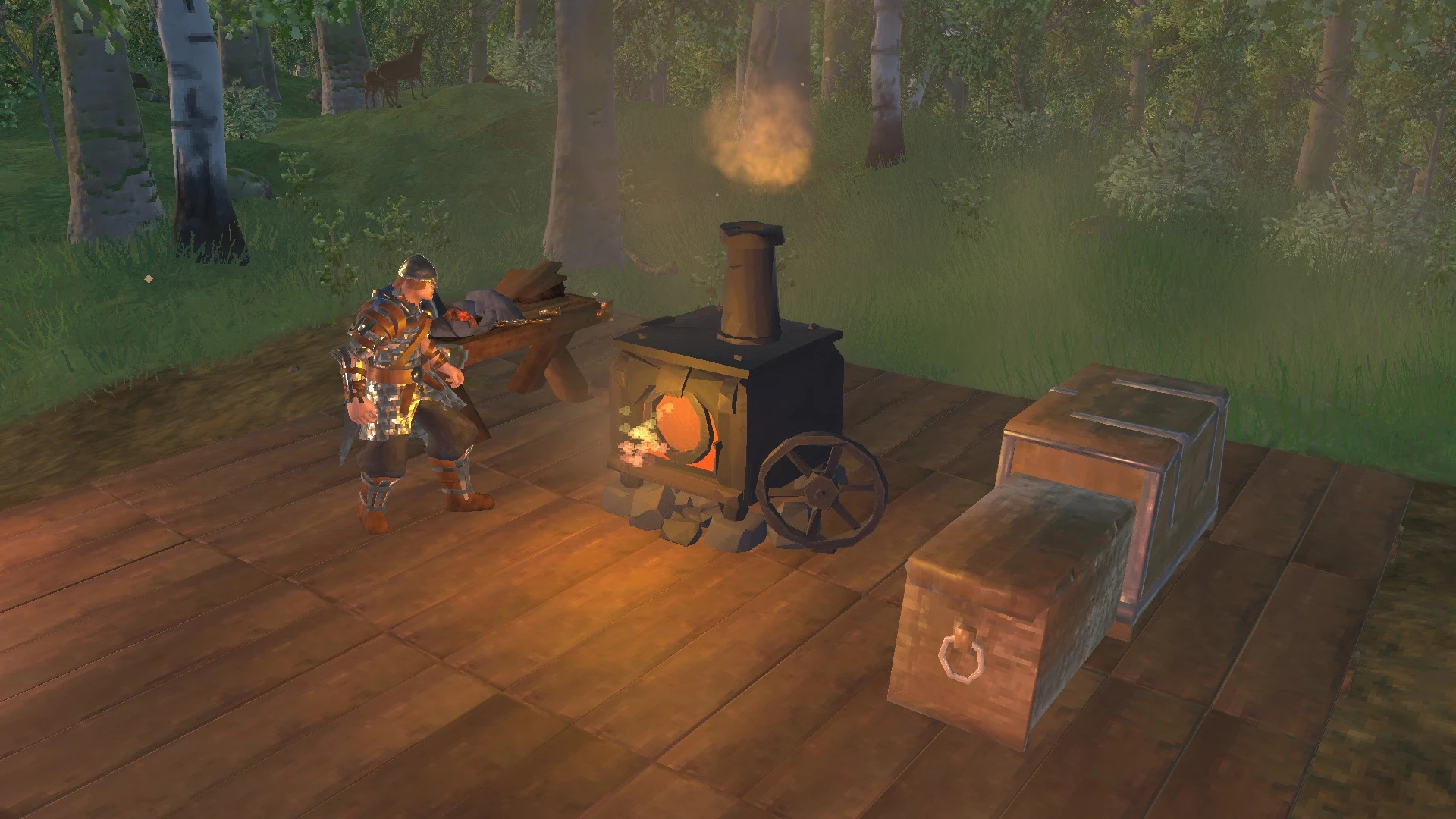
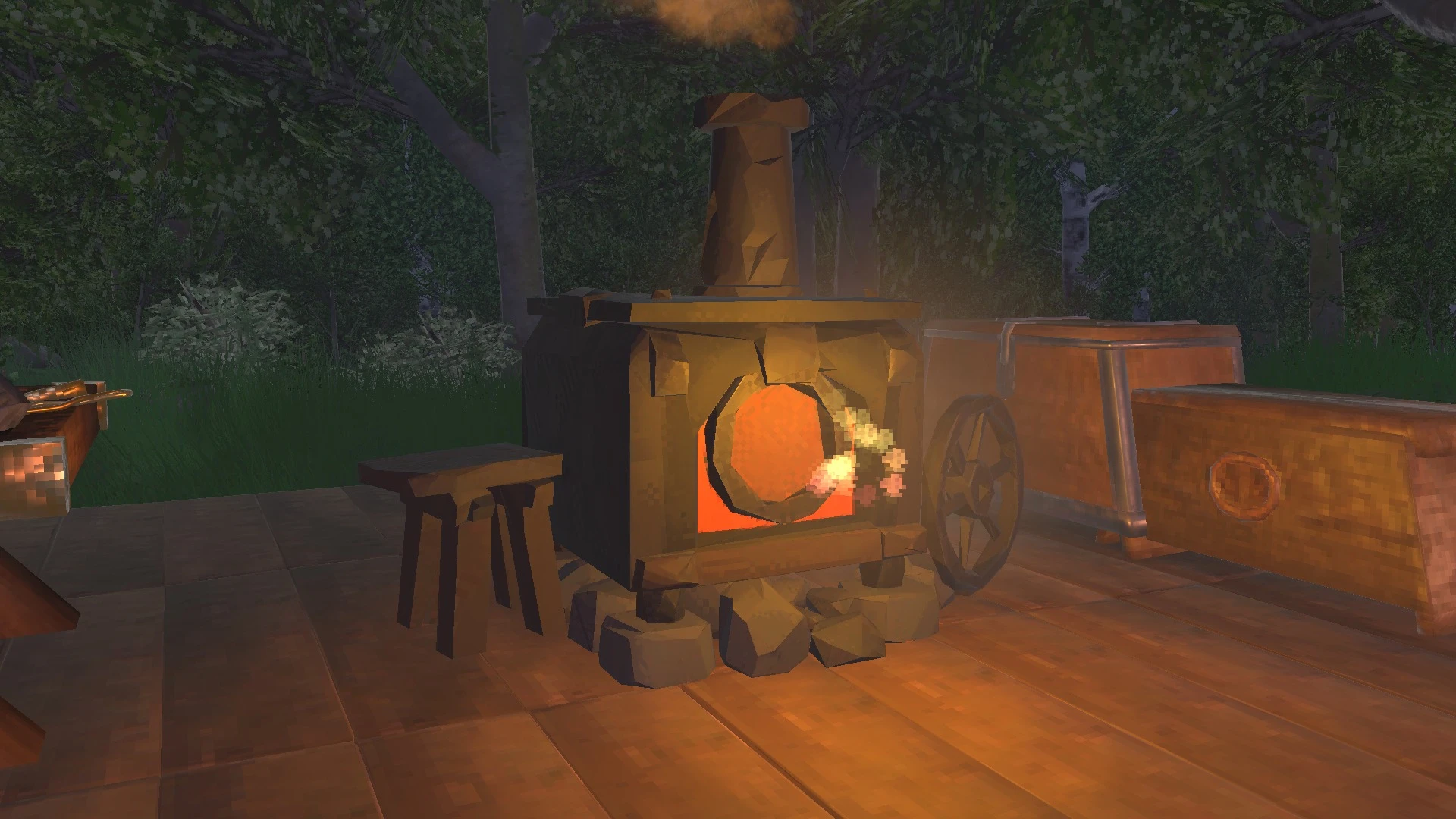
An iron furnace that breaks old gear back down into materials.
C#BepInExJötunnRecycle N' Reclaim integration
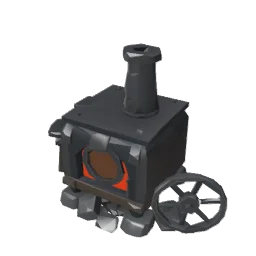
Dvergr Reclaimer mod icon: a small iron furnace with a chimney, a glowing round door and a side wheel.

Put the old gear to work

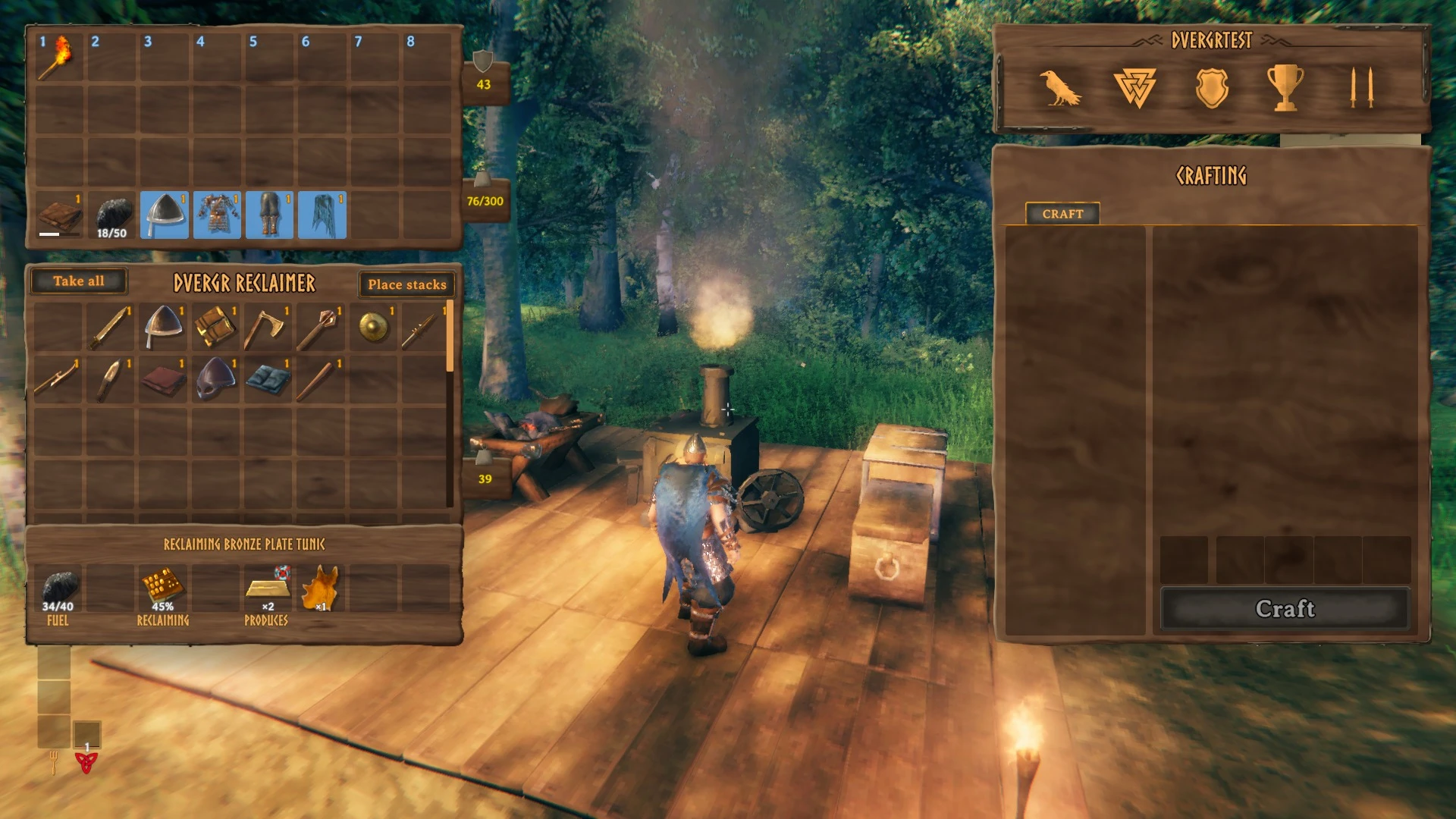
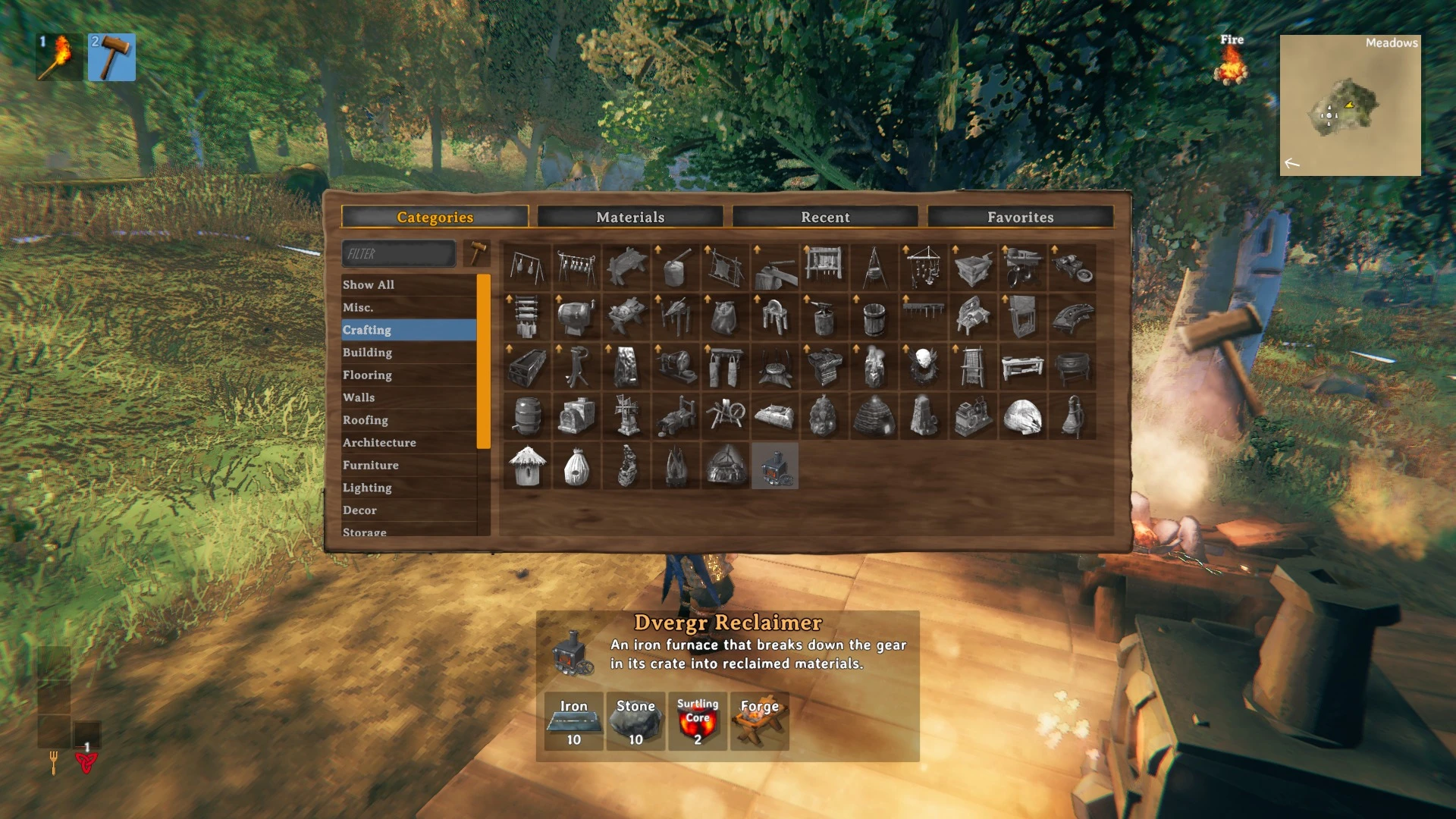
Dvergr Reclaimer adds an iron furnace to Valheim's Hammer from the Swamp onwards. Items placed in its crate are broken down one at a time, using Recycle N' Reclaim's yields and rules, and the materials are moved into nearby chests.

It needs Recycle N' Reclaim and Jötunn. Epic Loot is optional and adds trophy sacrifices.

THE EXPERIENCE

What it does

  • Load it and leave it

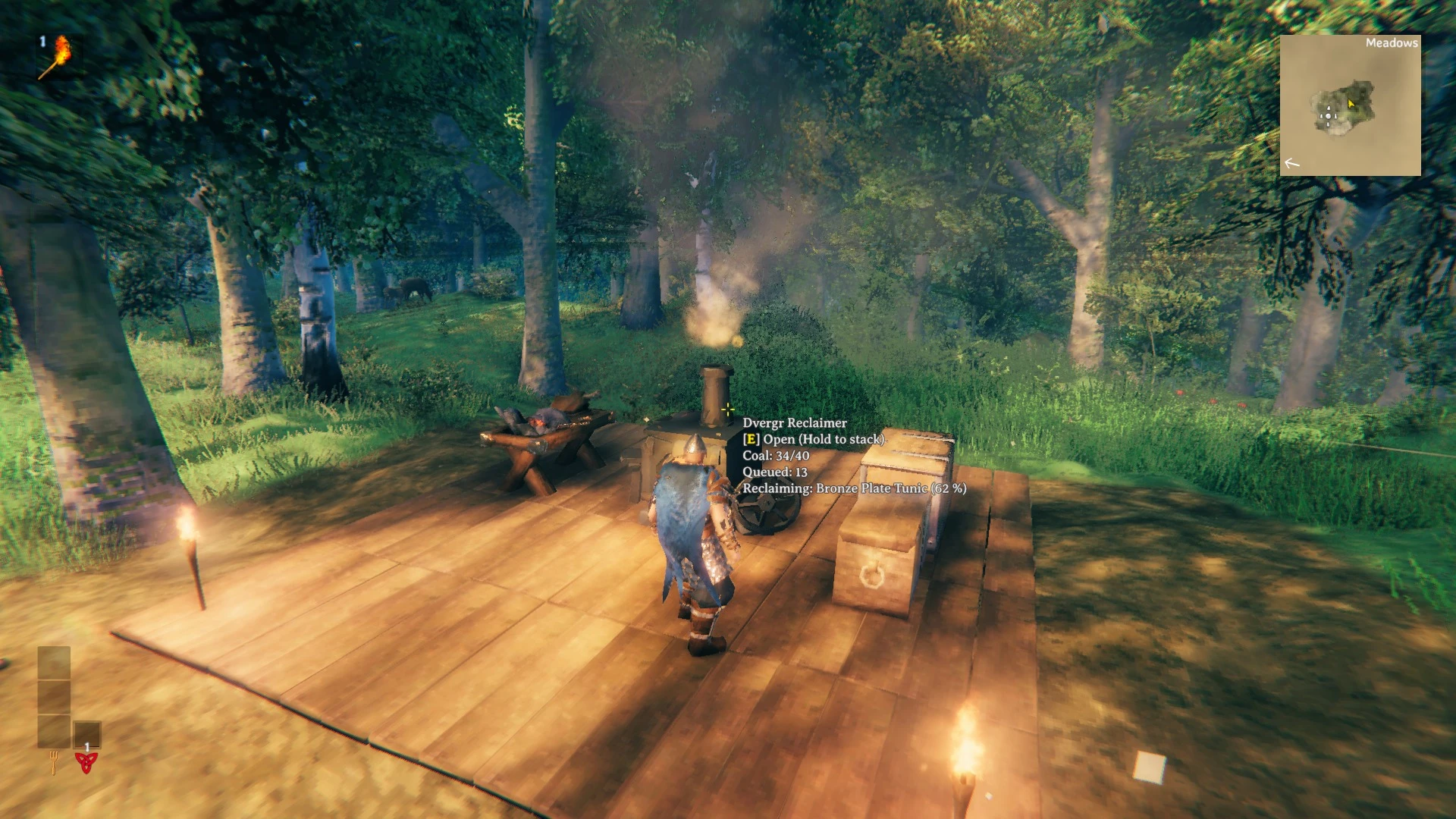
    Fill the 8×12 crate with old gear. It breaks each item down with Recycle N' Reclaim's yields and rules, burning Coal as it works.

  • Results where you want them

    Materials go into nearby chests. Anything they can't take drops out of the front, the way a Smelter drops its bars.

  • Only what your world knows

    It reclaims only recipes someone on the world has discovered.

  • Epic Loot sacrifices

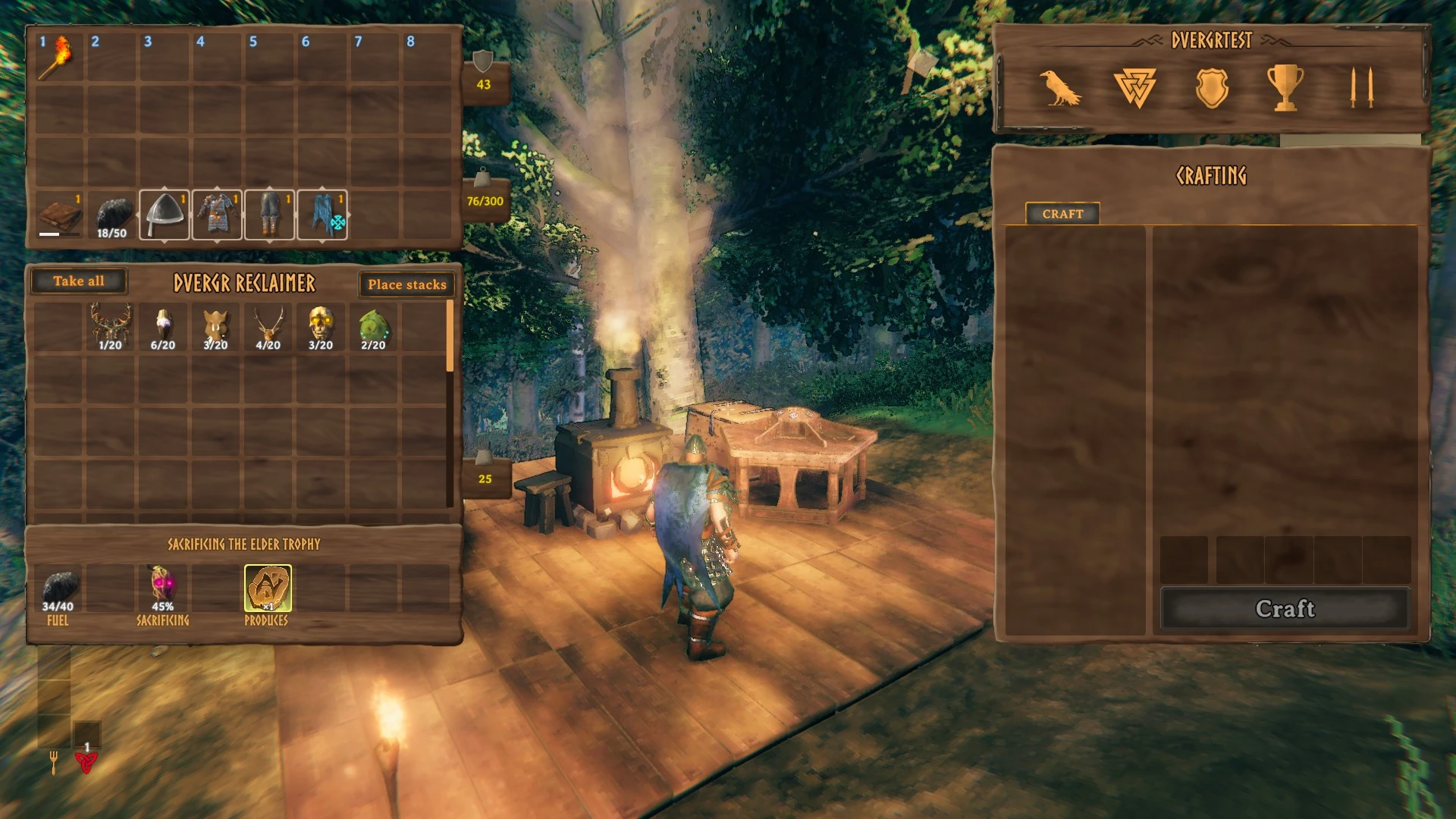
    With Epic Loot and an Enchanting Table nearby, trophies and boss items are sacrificed for enchanting materials.

Development

I built the Reclaimer as a Hammer piece whose model is assembled at runtime from a Meshy-generated mesh, prepared in Blender, without a Unity project. It breaks items down through Recycle N’ Reclaim’s public API, with a recipe ledger shared across everyone on the world, and borrows the vanilla Smelter’s fire, smoke and sounds. Epic Loot’s sacrifice is bound only when Epic Loot is installed.

The mod is tested headless inside the real game, including against a dedicated server. The screenshots on this page were rendered by that test harness from the game itself.

Recycle N’ Reclaim is the work of Azumatt, and Epic Loot of its original creators.

More Valheim mods

Back to mods

DEV LOG

What I’m working on

Patch notes, Workshop updates, and my Bluesky posts appear here automatically, alongside notes I add myself.

  1. Lone SurvivorsPatch 1.4.1

    Shrines, Circles & Trials

    Hey Survivors! 1.4.1 is about the things you find out on the map. Shrines, Circles of Power and trials have all been reworked and expanded: ten new or reworked shrines, circles that no longer throw away your progress and can empower a…

  2. Lone SurvivorsPatch 1.4.0

    (More) Weapons Reforged

    Hey Survivors! 1.4.0 is another big one. Every weapon can have its own opacity toggled, 22 weapons got new looks for their attacks and upgrades, there are six new post-legendaries, and a new engine core keeps far bigger late-game hordes…

  3. Lone SurvivorsDev note

    Coming in 1.3.2: five new post-legendaries

    Fuma Shuriken: spent shurikens fly back to you and charge a giant shuriken that hunts the toughest enemy and grinds through everything it touches.

  4. Lone SurvivorsDev note

    Coming in 1.3.2: weapon makeovers and a faster late game

    22 weapons are reworked to look and hit the way they should, from the Sky Galleon cannon barrage and the Gunship drone to the Wrecking Ball flail and Death's Head Pestilence, and their legendary and post-legendary upgrades each get a look of their own.

  5. Lone SurvivorsPatch 1.3.1

    Elite Attacks & Sharper Weapons

    All 18 elite types have attack sounds and visual cues.

  6. Lone SurvivorsPatch 1.3.0

    The Game Juice Update

    Every hit, kill, upgrade card, chest, boss and class ability has new effects and sounds. Bosses make an entrance and go out in a slow-motion chain of explosions, and legendaries slam down with golden shockwaves.

  7. Lone SurvivorsBluesky

    Big fan of Survivorslikes?

    Now is the perfect time to jump into Lone Survivors - the Game Juice update just dropped and it's 30% off!

    Watch the video on Bluesky: Big fan of Survivorslikes?
  8. Lone SurvivorsDev note

    Coming in 1.3.0: the Game Juice update

    Bosses make an entrance. The first time each one appears in a run, the camera swings over, black bars cut in diagonally with its name, and the fight slows almost to a stop.

  9. Kingdom TDDev note

    A calmer look, and more time to save your sparks

    Menus, shops, the HUD and pop-ups have a simpler parchment-and-wood look that stays sharp at any size. Draft cards, save banners, and the wave and level reports keep their decoration.

  10. Kingdom TDDev note

    A friendlier first hour

    Tutorial hints and tooltips no longer cover the things they point at, and the camera shows the whole island while you build your path.

  11. Kingdom TDDev note

    Wider crowds, creeping blight, and a smoother tutorial

    Enemy crowds now spread across the whole road instead of marching in three tidy lanes. Bosses still hold the center.

  12. Kingdom TDBluesky

    Day 1 vs day 82 of Kingdom TD: Draft Your Demise

    July 9: flat 2D prototype. Today: floating 3D islands, storms, 12 tower types and a Goblin King boss wave.

    A tower defense game 82 days apart. July 9: a flat 2D prototype with a brown path and simple sprites. Today: a 3D floating island rises from the clouds, a card draft picks enemy waves, and towers fire lightning and cannons across four battlefields in sun and rain. A Goblin King boss marches between purple portals under fire, then the Kingdom TD logo appears.Watch the video on Bluesky: Day 1 vs day 82 of Kingdom TD: Draft Your Demise